LidUp
Keep your laptop working while you sleep. Your AI agent doesn't sleep, but your laptop does — closing the lid suspends the machine and stops the agent mid-task.
LidUp is a tiny menu bar app that keeps the laptop awake (even with the lid closed), lets you schedule auto-sleep, and lets the AI signal "I'm done" through a local webhook so the laptop can rest as soon as the work is finished.
Features
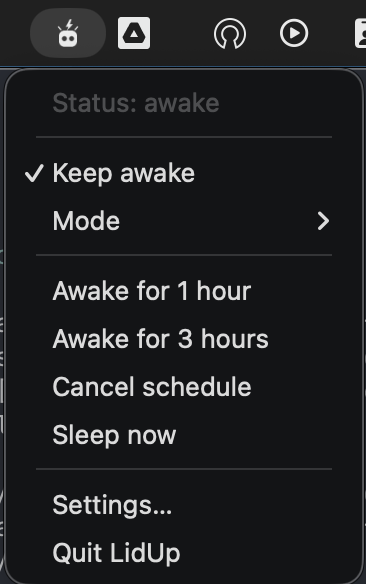
- One-click keep-awake toggle right in the menu bar
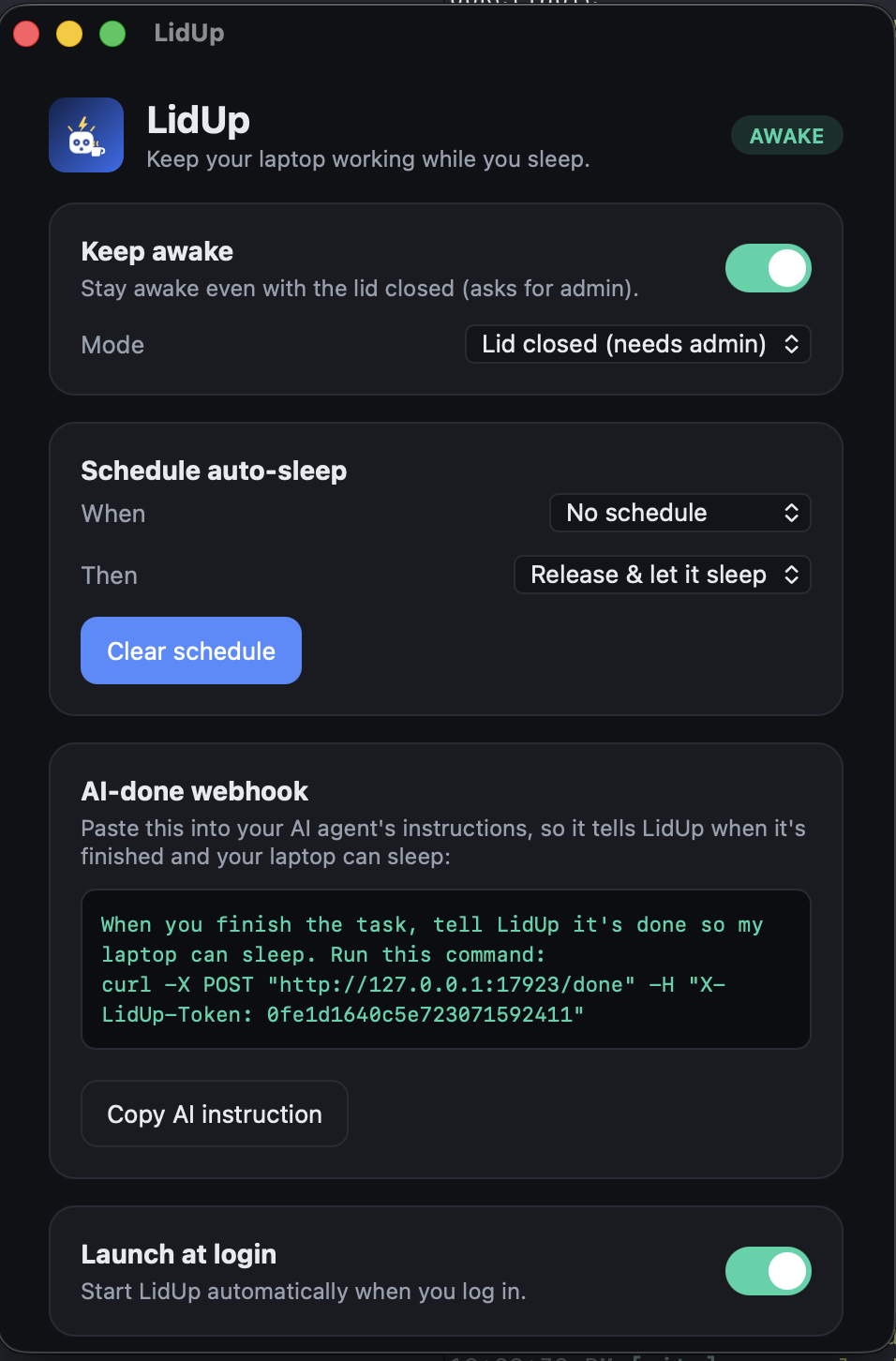
- Two modes: idle-only (no admin needed) or lid-closed (stay awake with the lid shut)
- Schedules — "stay awake for 1h" or "until 07:00", then sleep naturally or force sleep
- Thermal safety — auto-sleep when the Mac overheats, with a cancelable warning first and your choice of trigger level (no admin needed)
- AI-done webhook: a token-protected local endpoint Claude Code can call when it finishes, so the laptop can finally rest
- Launch at login, with a ready-made Claude Code Stop-hook example included
- Crash-safe: normal sleep settings are always restored on quit and startup — LidUp can never permanently disable sleep
Download
Version v0.2.0 · Free. Signed and notarized universal build (Developer ID) — runs natively on Apple Silicon and Intel, macOS 10.15+. Lid-closed mode asks for an admin password when toggled.
See all installers and release notes on the GitHub release page.
Screenshots
Built for AI agents
LidUp runs a token-protected webhook on localhost. When your agent finishes — for example via a Claude Code Stop hook — it POSTs /done and LidUp runs your configured end-action: release keep-awake and let the Mac sleep naturally, or force sleep right away. The Settings window shows the exact curl command, and a ready-made Stop-hook script ships with the app.
Everything stays on your machine: the webhook only listens on loopback, and LidUp sends nothing over the network.